16/03/2023

Positive Negative Program in Java Using IF-ELSE Statements
Positive Negative Program in Java. Write a Java Program to Get a Number From The User And Print Whether it is Positive or Negative. Checking whether a Number is a positive or negative number should be entered through the user then the program print the output.

Positive Negative Program in Java

As we know that if the number is greater than 0 (Zero) Then the number is positive and if the number is Less than 0 (Zero) that number is Negative and if else number is equal to zero then an entered number is Zero.

Positive Negative Program in Java


import java.util.Scanner;
import java.io.*;

/* Positive Negative Program in Java */

public class Posi_Negative {

	public static void main(String[] args) {
		int number;
		Scanner scan = new Scanner(System.in);
		System.out.print("Enter The Number You Want to Check:");
		number = scan.nextInt();

		if (number > 0) {
			System.out.println("The Number Is " + number + " is Positive");
		} else if (number < 0) {
			System.out.println("The Number Is " + number + " is Negative");
		} else {
			System.out.println("The Number Is " + number + " is Zero ");
		}
	}
}

See Also: C Program To Check Number Is Positive Or Negative

The Output of Positive Negative Program in Java


The Output of Positive Negative Program in Java

Similar to the Positive Negative Program


06/03/2023

How to Print ASCII Value in Java | ASCII Value
Write a Program to Print ASCII Value in Java. How to Print ASCII Value in Java. The user has to enter the Character and the program should print the ASCII Value in Java Language. How to convert characters to ASCII Values in Java. ASCII was developed from telegraph code. Its first commercial use was as a seven-bit teleprinter code promoted by Bell data services. 

Work on the ASCII standard began on October 6, 1960, with the first meeting of the American Standards Association's (ASA) (now the American National Standards Institute or ANSI) X 3.2 subcommittee. The first edition of the standard was published in 1963. Full Form of ASCII Is ( American Standard Code for Information Interchange). Print ASCII Value in Java.

ASCII Code Table – Printable, Non-Printable & Extended PDF.

Note: The class name should be the same as the program name

See Also C++ Program To Print ASCII Value Of Character

How to Print ASCII Value in Java


import java.util.Scanner;

/*How to Print ASCII Value in Java*/

class ascii //class name
{

	public static void main(String args[]) {

		System.out.print("Enter Any Character to Print ASCII Value in Java: ");
		Scanner sc = new Scanner(System.in);
		char ch = sc.next().charAt(0);

		int ascii = ch;

		System.out.println("ASCII Value is: " + ascii);
	}
}

See Also C Program To Print ASCII Value Of Character

Print ASCII Value in Java Output 


Print ASCII Value in Java Output

Similar to ASCII Value in Java


Convert a Person's Name in Abbreviation Program in Java
Convert a Person's Name in an Abbreviation Program in Java or a java program to print the short form of a name or Write a Program to Convert a Person's Name into an Abbreviation Program in Java or A Java Program to Accept a name and print the short form of the name or Print initials of a name or how to find a short form of a name in java or a java program to print short form of a name. Java Program to Print Short Form of a Name

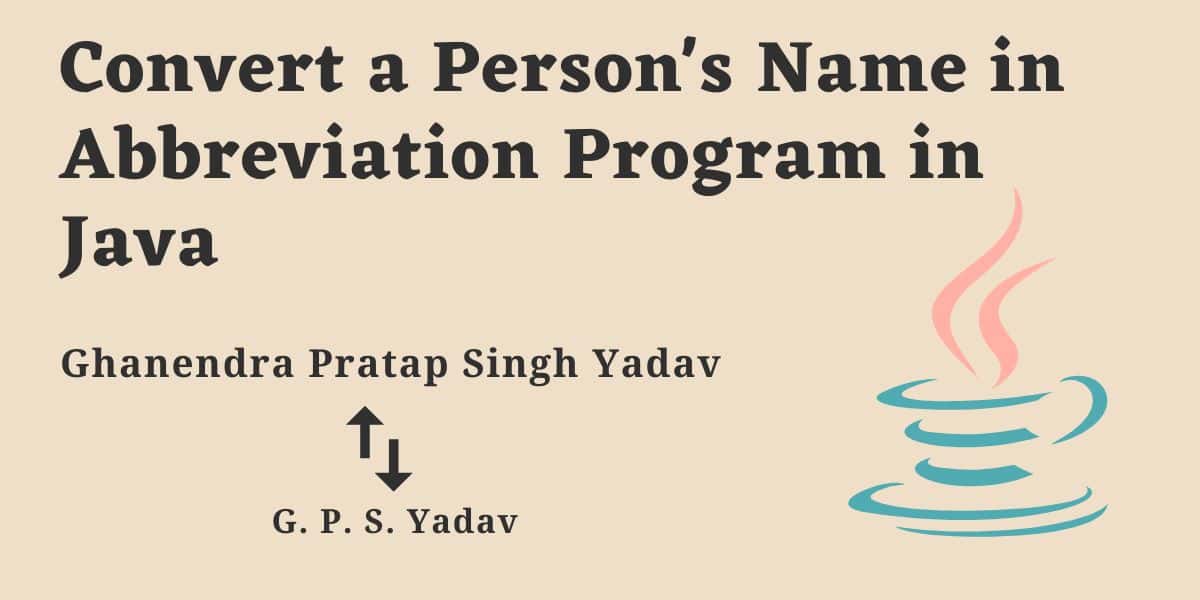
Abbreviated or sort names both are the same, let's take an example and try to understand a sort name or abbreviated name, I am taking the example of my full name, My full name is " Ghanendra Pratap Singh Yadav " then my Abbreviated Sort Name will be G. P. S. Yadav. I think now you understand the Abbreviated and sorted name now comes to the problem.

Convert a Person's Name in Abbreviation Program in Java

So for sort name and Abbreviated name as you can see above we have to print the first letter of your first name(in my case that is Ghanendra), and the first letter of your middle name(in my case that is Pratap Singh) and print the the the the full last name(that is Yadav in my case).

Note: Most people don't have a middle name so for them print the only first letter of the first name and last name Ie. The name is Ghanendra Yadav the sort name or Abbreviated name will be G. Yadav. Below is the Java program to print the initials of names and surnames.

Read: C++ Program to Convert a person's name in abbreviated

Convert a Person's Name in Abbreviation Program in Java


import java.util.Scanner;
import java.io.*;

/* Java Program to Convert a Person Name in Abbreviated */

class abbreviated {

	public static void main(String[] args) throws IOException {
		BufferedReader br = new BufferedReader(new InputStreamReader(System.in));

		System.out.print("\nEnter your Fisrt name:\t");
		char firstname = br.readLine().charAt(0);

		System.out.print("\nEnter middle Name:\t");
		char midname = br.readLine().charAt(0);

		System.out.print("\nEnter your last name:\t");
		String lastname = br.readLine();

		System.out.println("\n Abbreviated Name:\t" + firstname + "." + midname + "." + lastname);
	}
}

Read: C Program to Convert a person's name in abbreviated

The Output of Abbreviation Program in Java


The Output of Abbreviation Program in Java

Similar to Java Abbreviation


05/03/2023

Employee Salary Program in Java [Calculate Employee Bonus]
Program to calculate bonuses for different departments using method overriding. Employee salary program in java. Employee bonus calculation in java. Please see this is a requested problem from Foreign Country. See you can also request any problem regarding programming. So don't forget to share thanks, learning point (Foreign Country) writing for us.

Write a code in java that inputs the salary and grade of an employee and apply conditions.

  • in case of grade 15 or above then the bonus is 15%
  • in case of grade 16 or above then the bonus is 20%
  • in case of grade 18 or above then the bonus is 25%
  • after calculating the total salary deduct 13% GST in case that salary is 15000 or above. Deduct 15% GST in case that salary is 22000 or above.
  • add a 6% Employee Bonus at the end 

Calculate net salary according to the above condition and display it. Employee salary program in java.


So according to the first three conditions in the problem, I use an if-else statement for an Employee Bonus see below.

if (grade == 15) {
	bonus = (basic_salary * 15) / 100;
} else if (grade == 16 || grade == 17) {
	bonus = (basic_salary * 20) / 100;
} else if (grade >= 18) {
	bonus = (basic_salary * 25) / 100;
}

After that, we get a basic salary + bonus. Now according to GST(Goods and Service Tax), conditions calculate a remaining employee salary program in java after all calculations 6% Employee bonus.


if (basic_salary >= 15000 && basic_salary = 22000) { gst = (basic_salary * 15) / 100; basic_salary -= gst; bonus1 = (basic_salary * 6) / 100; basic_salary += bonus1; } else { bonus1 = (basic_salary * 6) / 100; basic_salary += bonus1; }

At the end print the Salary.

Example: Let's assume the employee salary program in java is 20,000 and grade is 15 then calculate an employee's salary with Employee Bonus.

20,000 salary and the 15-grade bonus is 15% then bonus = 3000.

  • Now the total salary is 20,000+3000=23,000
  • Now salary is greater than 22,000 then 15% GST, so GST = 3450.
  • Now the total salary is 23,000 - 3450 = 19550.
  • At the end 6% bonus then bonus = 1173
  • The gross salary of an employee is =19500+1173=20723.

Gross salary = 20723.

Try This Program to Calculate the Gross Salary of an Employee in Java

Employee Salary Program in Java


import java.util.Scanner;
import java.lang.*;

/* Employee Salary Program in Java or Employee Bonus Calculation in Java*/

class employeesalary {

	public static void main(String args[]) {
		float basic_salary, bonus1 = 0, bonus = 0, gst;
		int grade;

		Scanner scan = new Scanner(System.in);

		System.out.println("Enter the Employee Basic Salary: ");
		basic_salary = scan.nextFloat();

		System.out.println("\nEnter the Employee Bonus: ");
		grade = scan.nextInt();

		if (grade == 15) {
			bonus = (basic_salary * 15) / 100;
		} else if (grade == 16 || grade == 17) {
			bonus = (basic_salary * 20) / 100;
		} else if (grade >= 18) {
			bonus = (basic_salary * 25) / 100;
		}

		basic_salary += bonus;

		if (basic_salary >= 15000 && basic_salary = 22000) {
			gst = (basic_salary * 15) / 100;

			basic_salary -= gst;

			bonus1 = (basic_salary * 6) / 100;

			basic_salary += bonus1;
		} else {
			bonus1 = (basic_salary * 6) / 100;

			basic_salary += bonus1;
		}

		System.out.println("\nGross Employee Salary is: " + basic_salary);
	}
}

The Output of the Employee Salary Program


The Output of Employee Salary Program

Similar to Employees Salary


04/03/2023

Java Program to Find Grade of a Student Using Switch Case
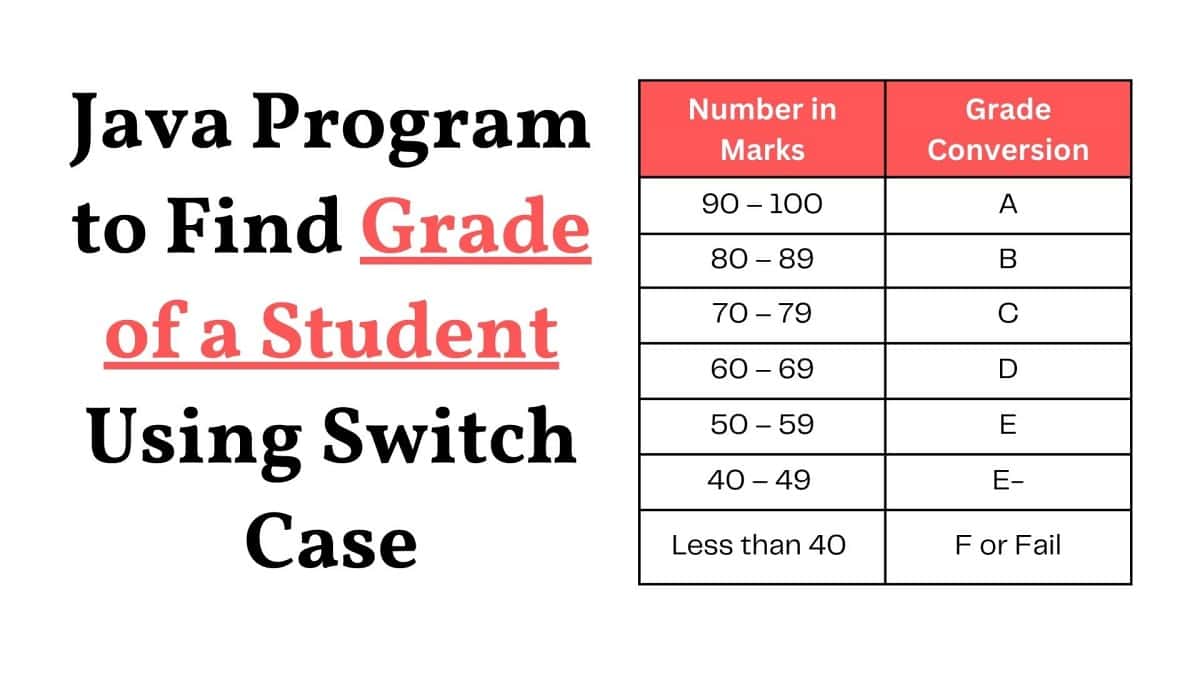
Find Grade Using Switch Case in Java: A university conducts a 100-mark exam for its student and grades them as follows. assigns a grade based on the value of the marks. write a java program to print the grade according to the mark secured by the student. [use switch-case]. Write a java program to find out students' grades using a switch case.

Java Program to Find Grade of a Student Using Switch Case

Logic is very simple for grade programs in Java using a switch case. Taking input from the user(Input should be between range given 0 to 100 Else program play with you), as we know the grading system so divides the Mark by 10 and put the case condition in the program See the below Explanation Step by step for better understanding.

Java Program to Find Grade of a Student Using Switch Case


import java.util.Scanner;

/* write a java program to accept the marks of a student and then display the grades using a switch case conditional statement.*/

class grade {
	static Scanner sc = new Scanner(System.in);

	public static void main(String args[]) {

		int marks;

		/*This Is a Grade Checker Program*/
		while (true) {
			System.out.print("\n=========================================");
			System.out.print("\nThis is program find out students grades");
			System.out.print("\n-----------------------------------");
			System.out.print("\nEnter The Marks Between 0 To 100:");
			System.out.print("\n=========================================\n");

			System.out.print("\nEnter The Mark: ");
			marks = sc.nextInt();

			if (marks > 100) {
				/* Marks greater than 100 */
				System.out.print("\nDon't Be Smart Enter your Marks Between Limit\n");
			} else {
				switch (marks / 10) {
					case 10:
					case 9:
						/* Marks between 90-100 */
						System.out.print("\n=============================");
						System.out.print("\nYour Grade Is: A or Excellent");
						System.out.print("\n=============================");
						break;
					case 8:
					case 7:
						/* Marks between 70-89 */
						System.out.print("\n=============================");
						System.out.print("\nYour Grade Is: B or Very Good");
						System.out.print("\n=============================");
						break;
					case 6:
						/* Marks between 60-69 */
						System.out.print("\n========================");
						System.out.print("\nYour Grade Is: C or Fair");
						System.out.print("\n========================");
						break;
					case 5:
					case 4:
						/* Marks between 40-59 */
						System.out.print("\n========================");
						System.out.print("\nYour Grade Is: D or Pass");
						System.out.print("\n========================");
						break;
					default:
						/* Marks less than 40 */
						System.out.print("\n================================================");
						System.out.print("\nYou Grade Is: F or Fail\n");
						System.out.print("\nSuggetin: Do Not show your Sheet to Your Parent");
						System.out.print("\n================================================");
				}
			}
		}
	}
}

Student Grades Using Switch Case Explanation


So first divide the mark by 10 so we can get a reminder and as you can see in the program we use case 4 to case 10. So if the remainder is between 4 to 10 our case performs the particular grade operation and displays the result See the Step By Step Example for each case that may be in this grade problem.

Case 1: If the user is Over smart then there is a condition that if the mark given by the user is greater than 100 then our program displays the Message "Don't Be Smart Enter your Marks Between Limit" or else perform the Else part.

Enter the Mark: 1000
Output: Don't Be Smart Enter your Marks Between Limits.

Case 2: If the user is entering the marks between 0 to 100 and then a particular grade portion will be executed and display the output in the Console screen.

Enter the Mark: 95
Output: Your Grade Is: A or Excellent

This operation performs the same for Grades B, C, and D.

Case 3: If Enter marks are not fulfilled the requirement of the case then the program will perform the default case.

Enter the Mark: 25
Output: Your Grade Is: F or Fail

Also, see the program suggestion " Do Not show your Sheet to Your Parent "